 exoprop™
Feature — Chart Execution
Trade every prop account
straight from the chart.
Connect your Tradovate, Rithmic or TopstepX login once, pick the account, and place orders where you analyse — no bridging apps, no second platform.
Start free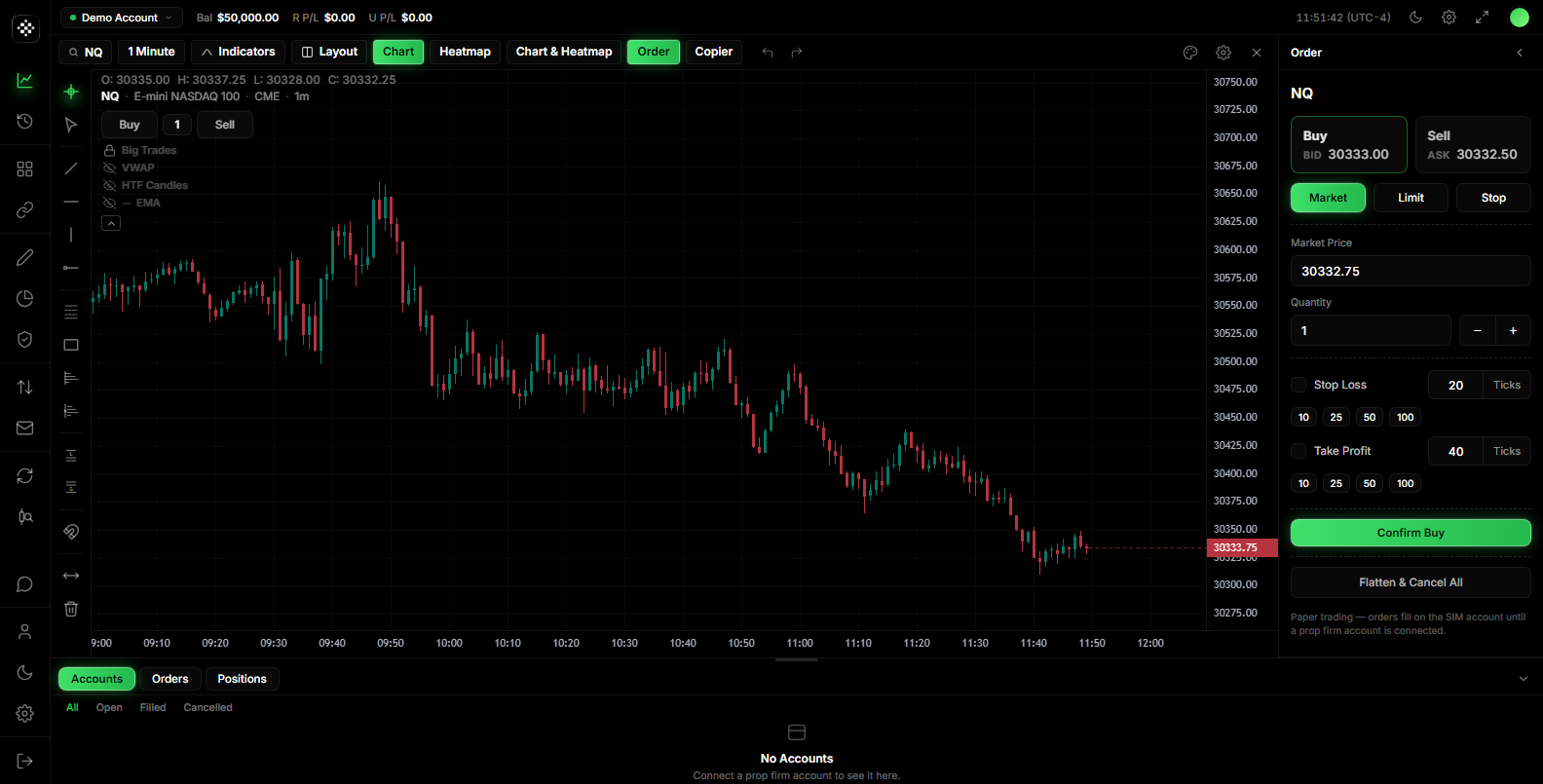
Every account under one login
One broker login discovers all the accounts behind it — evaluations, funded and sim — and lists them with live balance and P&L.
Real brackets, on the chart
Attach stop and target to any order in ticks or dollars. Pending brackets sit on the chart and arm the moment you are filled.
Cross-execution to micros
Optional per-symbol routing: analyse NQ, fill MNQ. Off by default — your orders go to the chart contract until you say otherwise.
See the position, always
Open orders, position line, executions and unrealized P&L draw directly on the chart. Flatten is one button, not a workflow.
How it works
Connect once
Tradovate, Rithmic or TopstepX — one login discovers every eval, funded and sim account behind it.
Pick the account
Select a single account as the route; balance and P&L stream live into the top bar.
Trade from the chart
Market, limit or stop with brackets in ticks or dollars — orders and the position line draw where you analyse.
Try it inside exoprop
Free forever — connect a platform and place your first order from the chart.
Start free